choice4genesis - a ChoiceScript clone for the Sega Genesis
- physical : no
- rom : yes
- licensing : unlicensed
- status : wip
- style : utilities
- code : choice4genesis
- Date(s) : 2022
- Platform(s) : MD
- By(s) : Haroldo OK!
Data retrieved from itch.io
- ↪ https://haroldo-ok.itch.io/choice4genesis
- by : haroldo-ok
- genre : Visual Novel
- tags : 16-bit, choicescript, Game engine, Homebrew, Mega Drive, multimedia, Retro, Sega Genesis, sgdk
- status : In development
- rating : 4.00 average rating from 1 total ratings
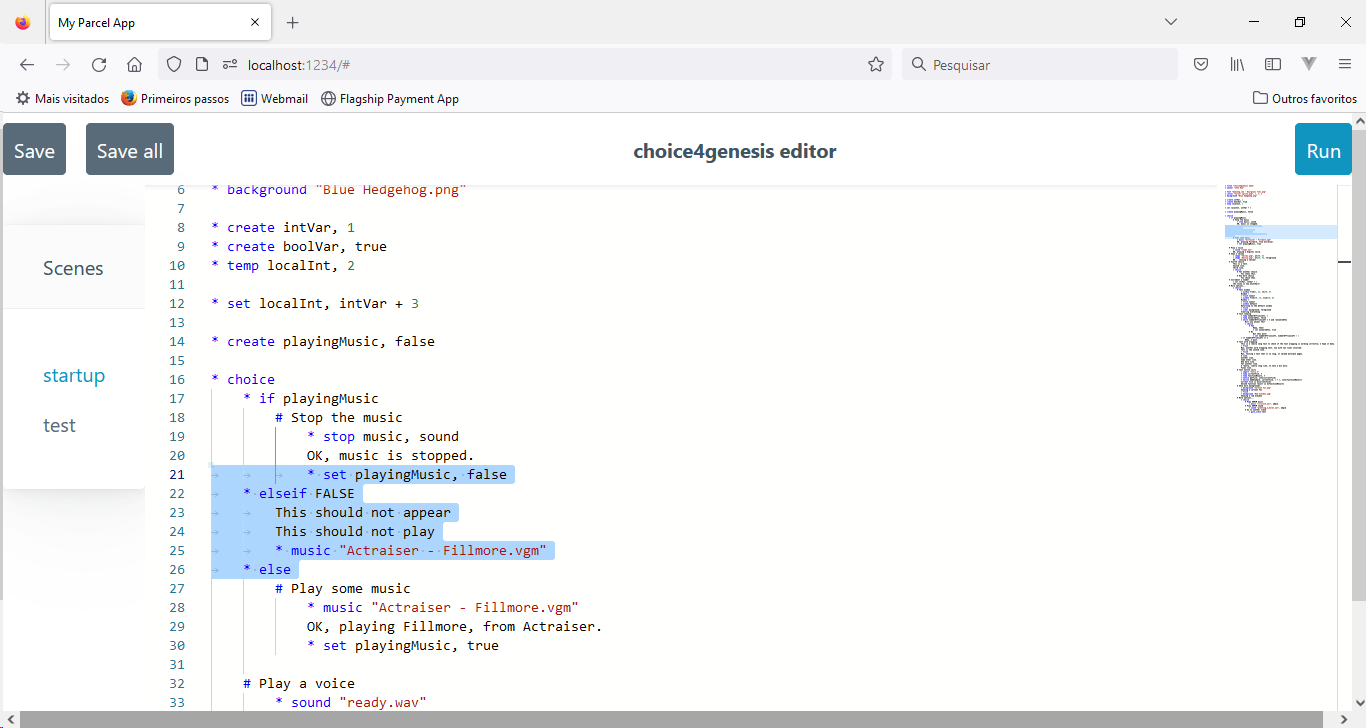
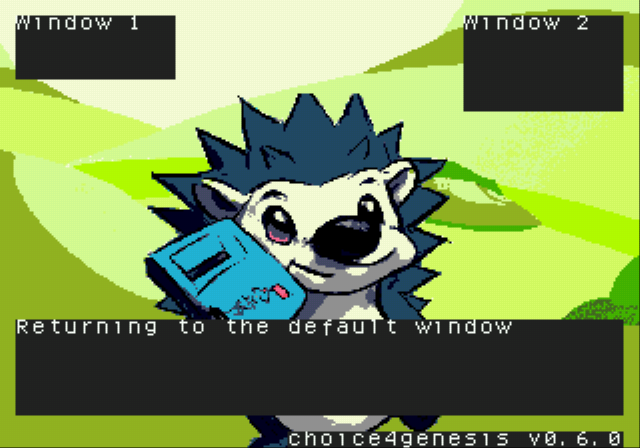
Github repo: https://github.com/haroldo-ok/choice4genesisThis is a ChoiceScript clone that generates Sega Genesis ROMs. If can be used for visual novels or simple multimedia presentations. It takes a bunch of scripts and images and, from that, it generates SGDK-compatible .c and .res files. Those are then compiled into a Sega Genesis compatible ROM, which can be run on an emulator or even on real hardware. The syntax of the scripts is somewhat based on ChoiceScript, but it is not exactly the same. Please note that this is an early work and progress, and it is not as stable or user-friendly as it is planned to become.Example script: font "damieng.com - Hourglass font.png" background "Blue Hedgehog.png" create intVar, 1 create boolVar, true temp localInt, 2 set localInt, intVar + 3 create playingMusic, false choice if playingMusic # Stop the music stop music, sound OK, music is stopped. set playingMusic, false elseif FALSE This should not appear This should not play music "Actraiser - Fillmore.vgm" else # Play some music music "Actraiser - Fillmore.vgm" OK, playing Fillmore, from Actraiser. set playingMusic, true # Play a voice sound "ready.wav" OK, playing a digital voice. # Show a smiley image "Smiley.png", at(30, 3) OK... showing a smiley! # Fourth choice This is a test. Second line. Third line. choice # Yet another choice You chose this. # One more choice You chose that. # Increment a number set intVar, intVar + 1 The value is now ${intVar}! # More options... choice # Test window window from(1, 1), to(10, 4) Window 1 flush nowait window from(29, 1), size(10, 6) Window 2 flush nowait window default Returning to the default window flush clear background, foreground Clearing everything # Go to another scene * goto_scene testFull documentation of the commandsAvailable at: https://github.com/haroldo-ok/choice4genesis/blob/main/README.mdCommands implemented so farfontLoads a .png file containing the 8x8 font. Note that the image must be paletized, with 16 colors. Future versions of this tool will probably convert the image automagically. backgroundLoads a .png file as a background image. Note that the image must be paletized, with 16 colors. Future versions of this tool will probably convert the image automagically. choicePresents a menu to the user, allowing to choose between multiple options. musicStarts playing a .vgm/.xgm music in the background. soundPlays a digitized sound. stopStops the music and/or sound. imageAllows drawing a small image in .png format somewhere in the background. Note that the image must be paletized, with 16 colors. Future versions of this tool will probably convert the image automagically. waitWaits for a few seconds. createCreates a global variable. tempCreates a local variable. temp variables are only visible inside the scene file that created them. setChanges the current value of an existing variable. if/elseif/elseAllows a certain block of code to only be executed on a given condition. goto_sceneJumps to a different scene. The scene files are located on the script directory, and have the .choice extension. windowAllows to configure the region of the screen that will be used for the text popups and menus. flushImmediately shows the contents of the current text buffer on the text window; if passed the flag nowait, does not wait for a button press. clearAllows to clear regions of the screen. Planned commandsThe tool accepts those commands, but, at the moment, they don't do anything. labelWill allow to mark a place where the goto command can jump to. gotoWill jump to a given label from anywhere on the same scene. scene_listWill configure the default sequence in which the scenes will be played. finishWill jump to the next scene in the game. videoWill play a full screen video.
Screenshots